
We’ve all been there: you’re cruising down the highway, and suddenly, a weird little icon lights up on your Honda Civic’s dashboard. Instant panic, right? Whether you’re driving a classic older model or rocking a brand-new 11th-generation sedan, your Civic is constantly trying to talk to you.
Ignoring these little glowing signs is a fast track to unsafe driving conditions or a seriously expensive repair bill. Think of your dashboard like a traffic light. Once you know what the colors actually mean, you can ditch the panic and handle the situation calmly.
Let’s break down exactly what every colour and symbol means and what you need to do when they pop up.
The Honda Dashboard Colour Code: What Do the Colours Mean?
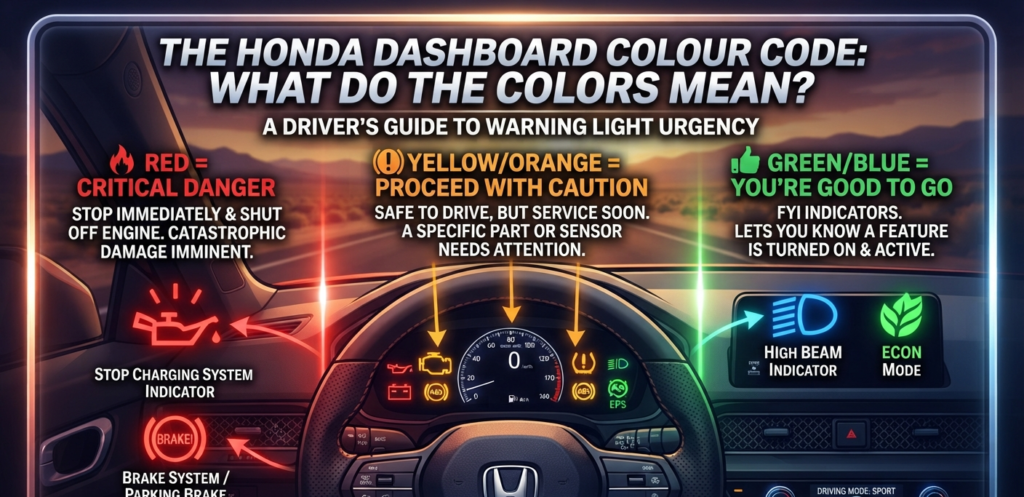
Your Civic uses a pretty straightforward, universal color-coding system to tell you how urgent a problem is. Being able to spot the difference at a glance will help you decide if you need to pull over immediately or if you can just make a mental note for later.
- Red = Critical Danger:
Pull over somewhere safe and shut off the engine right away. This is your car screaming for help to prevent catastrophic damage. - Yellow/Orange = Proceed with Caution:
Your car is still safe to drive for now, but a specific part or sensor needs your attention (or a mechanic’s) soon. - Green/Blue = You’re Good to Go:
These are just friendly FYI lights. They let you know that a feature like your high beams or economy mode is turned on and doing its job.
🔴 Red Warning Lights (Stop Driving Immediately)
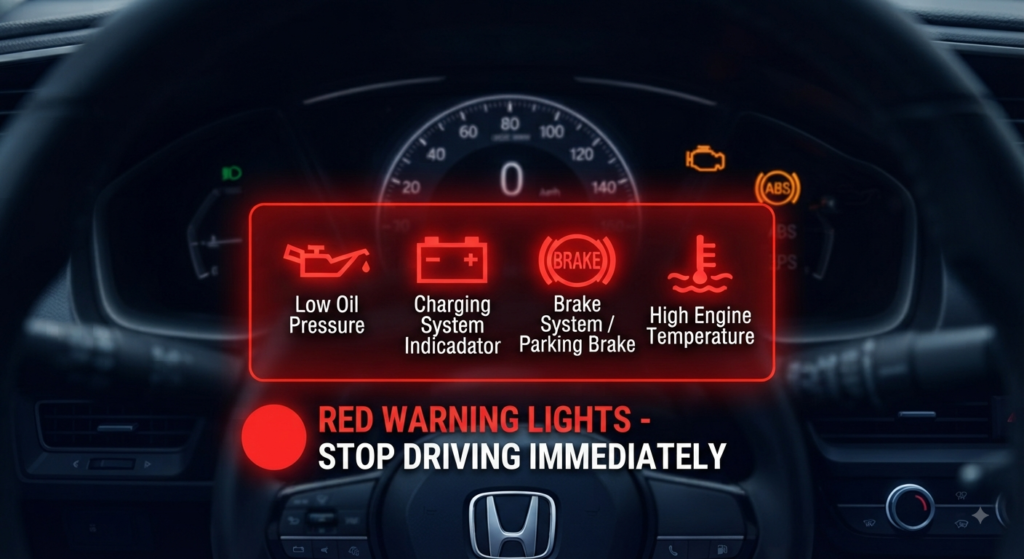
If a red icon pops up and stays on (or flashes), your Civic is dealing with a major failure. Do not keep driving, or you could permanently destroy your engine block.
- Low Oil Pressure Warning (The “Oil Can”):
This means your engine has dangerously low oil pressure or is practically bone dry. Driving like this causes extreme metal-on-metal friction. Pull over safely, turn the engine off, and check your dipstick immediately. - Charging System Indicator (The “Battery Box”):
If you see this little battery icon, your alternator is likely failing, and your car is running purely on whatever juice is left in the battery. Once that drains, your car will die completely even if you’re in the middle of moving traffic. - Brake System / Parking Brake (Says “BRAKE” or “!”):
Sometimes this just means you forgot to fully release your parking brake. If the brake is definitely off, it means your brake fluid is dangerously low or the hydraulic system has failed. Don’t risk driving if your brakes feel mushy.
🟡 Yellow & Orange Warning Lights (Service Soon)
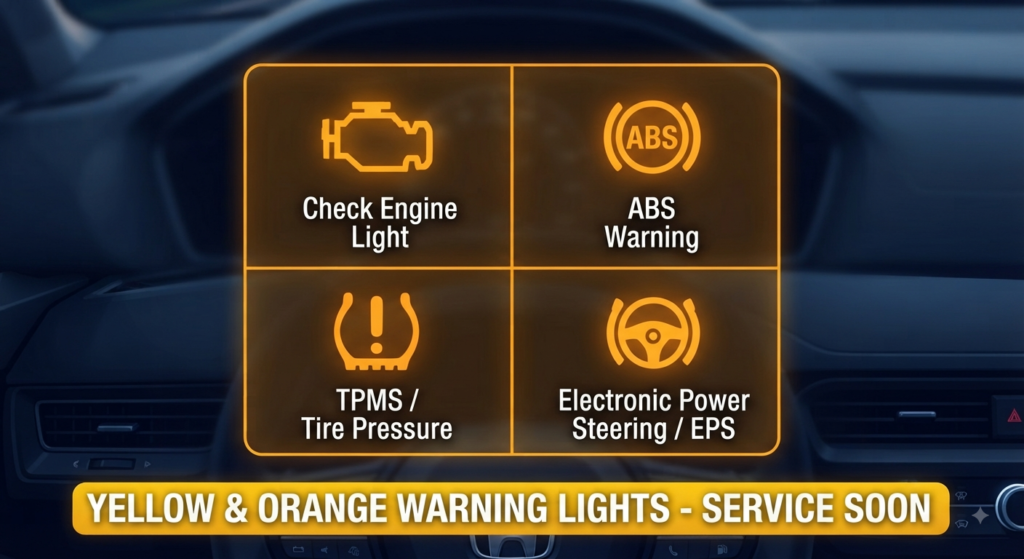
These don’t mean you need to call a tow truck right this second, but you shouldn’t ignore them either. Plan to get a diagnostic check ASAP.
- Check Engine Light (The “Engine Outline”):
On US Civics, this pops up when the computer detects an emissions or sensor issue. It could be something serious like a bad oxygen sensor, or something as silly as a loose gas cap. Pro tip: Always tighten your gas cap first before paying a mechanic to look at it! - ABS Warning (“ABS” in a circle):
This means your Anti-lock Braking System has a glitch. Your regular brakes will still stop the car safely, but your wheels might lock up if you have to slam on the brakes on wet or icy roads. Drive carefully until you can get the wheel speed sensors checked. - TPMS / Tire Pressure (Flat tire with an “!”):
This turns on when one or more tires drop well below the recommended PSI. It’s super common during sudden winter temperature drops. Just fill your tires to the PSI listed on your driver-side door jamb, and the light should go away. - Electronic Power Steering / EPS (Steering wheel with an “!”):
Your power steering control unit is having an electrical issue. You can still steer, but the wheel is going to feel incredibly heavy like you’re getting a serious arm workout just trying to park.
🟢 Green & Blue Indicator Lights (All Clear)
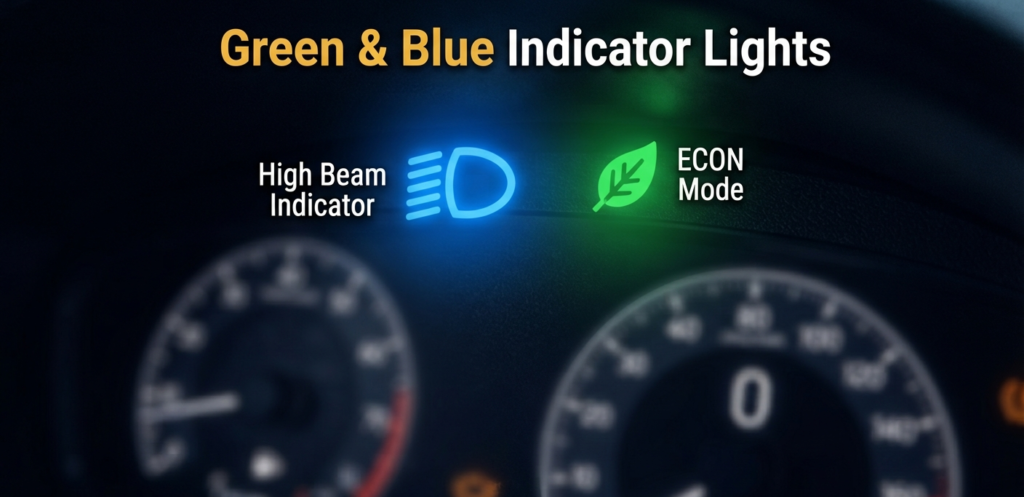
No stress here. These are just your Civic’s way of keeping you in the loop about what’s active.
- High Beam Indicator (Bright Blue):
That bright blue icon shaped like a headlight means your high beams are blasting. Just remember to flick them off when you see oncoming traffic! - ECON Mode (Green Leaf):
See a little green leaf or the word “ECON”? That means your fuel-saving mode is on, adjusting your throttle response to squeeze out the maximum miles per gallon during your daily commute.
Dealing with Common Honda Civic Dashboard Quirks
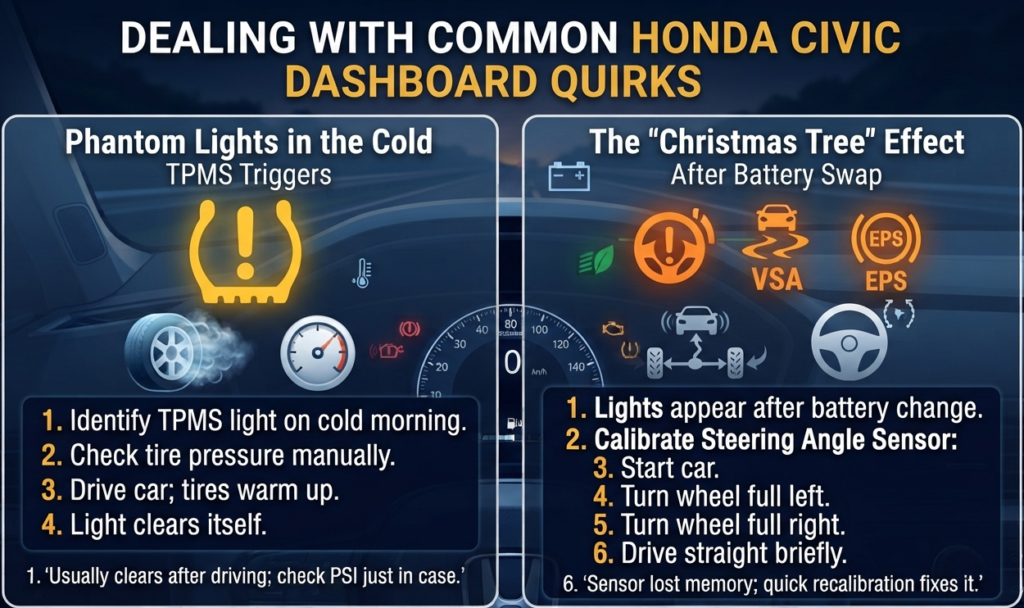
If you spend any time on US Civic forums, you’ll see a few common panic moments pop up over and over. Here’s the real deal on how to handle them:
Phantom Lights in the Cold
Ever wake up on a freezing morning to a TPMS light that magically disappears by the afternoon? Cold air shrinks the volume of air inside your tires, which triggers false low-pressure alerts. Once you hit the highway and the tires warm up, the light often clears itself. (Though it’s always a good idea to double-check your PSI anyway!)
The “Christmas Tree” After a Battery Swap
If you just installed a new car battery and suddenly your dashboard lights up with EPS, VSA, and steering warnings, don’t panic. The steering angle sensor just lost its calibration memory. To fix it: start the car, turn your steering wheel all the way to the extreme left, then all the way to the extreme right, and drive straight for a short distance. This usually resets the sensors automatically.
Frequently Asked Questions
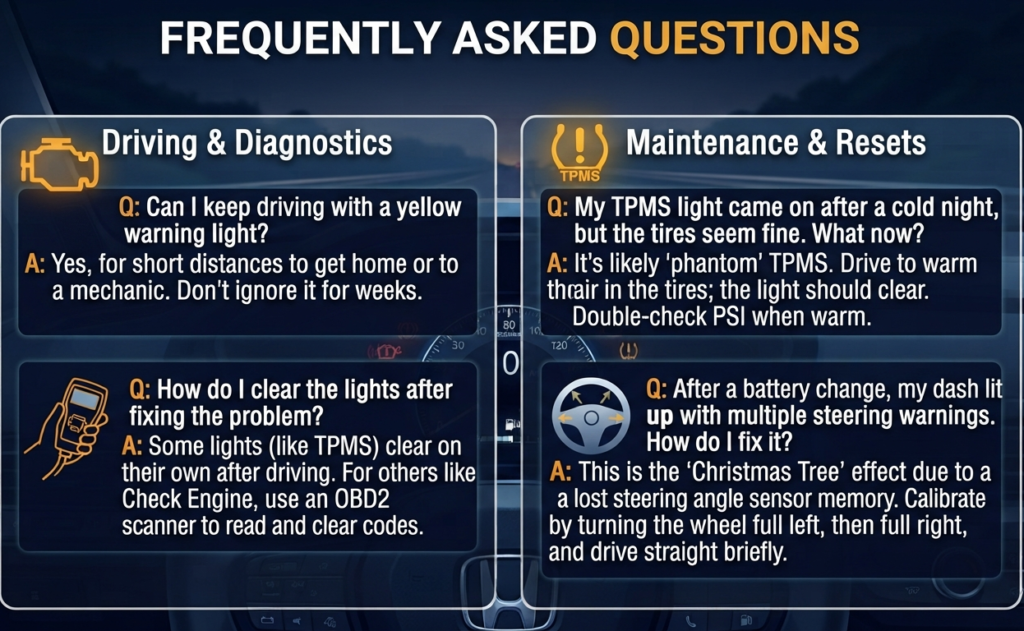
Can I keep driving my Civic with a yellow warning light on?
Yes, you’re generally fine to drive short distances to get home or to your local mechanic. Just don’t treat it like a permanent feature on your dash. Ignoring a yellow check engine light for weeks can turn a minor sensor fix into a blown catalytic converter.
How do I clear the dashboard lights after fixing the problem?
Some lights (like the tire pressure warning) will turn off on their own after a few miles of driving once the issue is fixed. For stubborn codes like a Check Engine Light, you can pick up a cheap OBD2 scanner tool online to read and clear the fault codes from your car’s computer yourself.