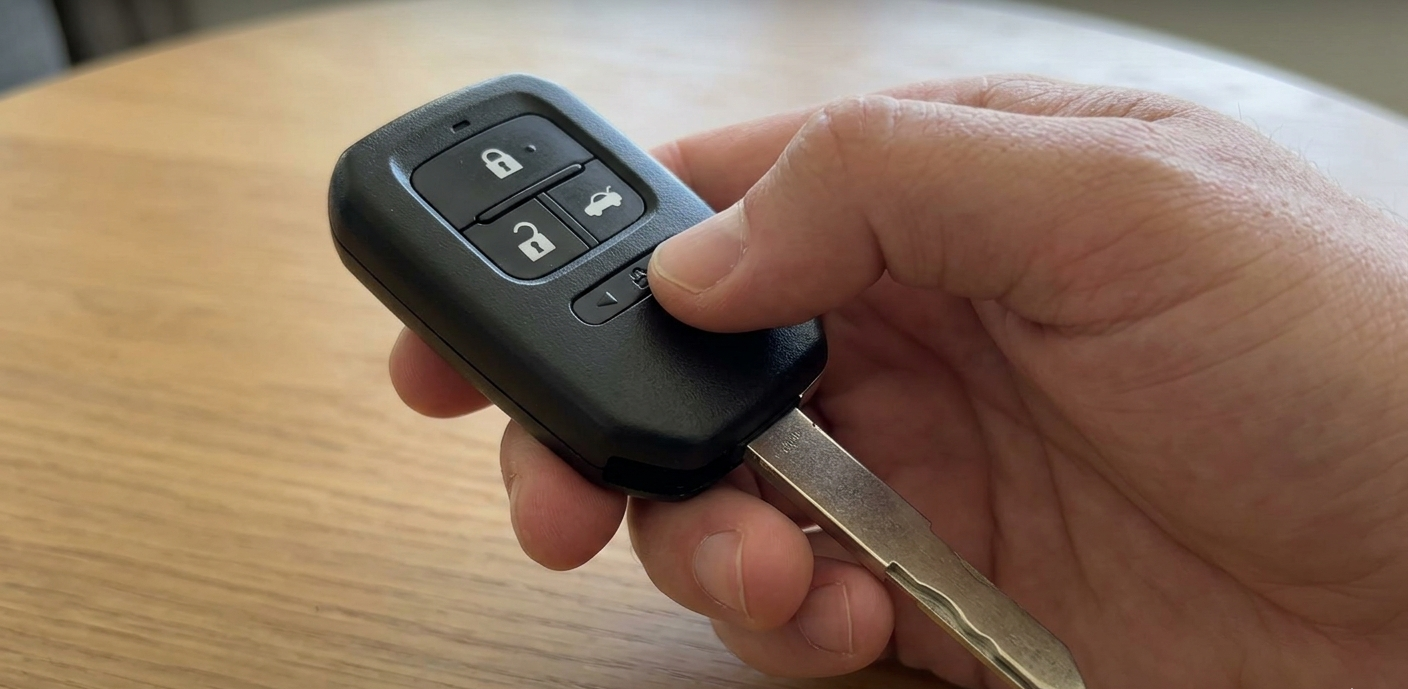
That moment hits at the worst time you’re rushing to work and the dashboard flashes “Key Battery Low.” Before you drive to the dealership and hand over $20–$50 for a $2 battery and 90 seconds of work, read this. You can do it yourself, right now, with a coin and a spare CR2032.
| ⚡ EMERGENCY FIRST — IF BATTERY IS 100% DEADHold the back of the fob directly against the Start/Stop button and press. Most 2013+ Civics will pick up the fob’s passive signal and start even with a completely dead battery. This works without needing a new battery right away. |
1. Which Battery Does Your Civic Need?
The battery type depends on your Civic’s generation and fob style. Use the table below don’t guess.
| Year | Gen | Battery | Fob Style | Notes |
| 2022–2025 | 11th Gen | CR2032 | Slim flush-fit | Proximity Entry — drains faster |
| 2016–2021 | 10th Gen | CR2032 | Standard push-button | Most common. Easy swap. |
| 2012–2015 | 9th Gen | CR2032 | Standard push-button | Small screw on back |
| 2006–2011 | 8th Gen | CR1616 / CR1620 | Older flip-key style | Check inside case for exact model |
| 2001–2005 | 7th Gen | CR1616 | Older style | Check fob back for exact model |
| 💡 BRAND MATTERSCheap bulk batteries from Amazon can die in 2 months. Always use Energizer or Duracell CR2032. They cost $3–5 and last 3–4 years. It’s not worth saving a dollar. |
2. Step-by-Step: 10th & 11th Gen Civic (2016–2025)
You’ll need: a new CR2032 battery, a coin or thin flathead, and a microfiber cloth or gloves.
| 1 | Release the Emergency Mechanical KeyFind the small release slider on the back of the fob. Slide and pull out the physical key blade. Set it aside you’ll use it in step 2. This also confirms your emergency backup works. |
| 2 | Pry Open the Case The No-Scratch MethodInsert a coin (NOT a screwdriver) into the slot where the key was removed. Twist gently. The coin is thin enough to pry without cracking the plastic. 2022–2025 (11th Gen) fobs have tighter clips — use slow, firm pressure. Forcing it with a screwdriver snaps the clips and costs $60+ for a replacement housing. |
| 3 | Remove the Old CR2032 BatteryThe battery sits in a tray inside one case half. Note which side faces up (+ symbol visible) before removing. Use a fingernail or the edge of the key blade to pop it out. Do not use metal tools near the contact prongs. |
| 4 | Install the New Battery Don’t Touch the SurfaceHandle the new CR2032 by its edges only. Fingerprint oil on the battery surface reduces lifespan by up to 20%. Orient with the + (positive) side facing up the side with the brand label. Press firmly into the tray until it clicks. If the car doesn’t respond after reassembly, the battery orientation may vary by fob generation flip it and retry. |
| 5 | Check the Water Gasket & Snap It Back TogetherBefore closing, inspect the rubber gasket around the fob edge. If it looks cracked or has shifted out of its groove, reseat it this is your fob’s only water protection. Snap both halves together by pressing firmly along the seam until you hear multiple clicks. Re-insert the key blade. |
| Test ItStand a few feet from your car and press Lock or Unlock. Mirrors should fold or lights should flash. If there’s no response, see the Troubleshooting section before assuming the battery is bad. |
| 11TH GEN (2022–2025) OWNERS READ THIS The 11th Gen fob shell has redesigned plastic clips that are thinner and tighter than older generations. This is the #1 cause of cracked housings. Use a microfiber-wrapped coin, apply pressure at the key slot first, then slowly work around the seam. Never use a screwdriver. A broken clip costs $60+ to replace. |
3. Older Civics: 2006–2015 Battery Replacement
2012–2015 (9th Gen) Small Screw Method
Flip the fob over and find a small Phillips or flathead screw on the back panel. Remove it, then gently pry the back cover off. The CR2032 sits in a clip-style holder. Note the orientation, swap the battery, and reverse the process. Don’t overtighten the screw on reassembly — the plastic threads strip easily.
2006–2011 (8th Gen) CR1616 or CR1620
These older fobs use a thinner, smaller battery (CR1616 or CR1620). The exact number is usually printed on the inside of the fob case. The case typically opens with a small flathead at the seam. These batteries are available at pharmacies or electronics stores — confirm you have the right one before opening the fob.
4. Troubleshooting: Fob Not Working After Battery Change?
This is the most common post-replacement complaint on forums. Here’s what actually fixes it:
| Q Car says ‘Key Not Detected’ or won’t start after battery swap |
| The fob needs to be resynced. Get inside the car with the fob and close all doors. Turn the ignition to ON (not start), wait 2 seconds, turn back to OFF. Repeat 3–5 times quickly. On newer models, pressing and holding Lock + Unlock for 5 seconds while inside the car resets the pairing. |
| Q Fob works close-up but not from a distance |
| Likely a bent or dirty contact prong. Open the case again and inspect the small metal prongs that touch the battery. If one is bent slightly inward, use a toothpick to angle it back up. Also wipe the battery contact points with a dry cloth to remove any oxidation. |
| Q Battery died again within a few weeks |
| Three causes: (1) Low-quality battery switch to Energizer or Duracell. (2) Battery installed upside down — open and verify + side faces up. (3) 2022+ Proximity Entry drain — the fob constantly signals your car. Keep fobs away from the car when at home. A Faraday key pouch ($5–8) eliminates standby drain entirely. |
| Q Fob case cracked during opening |
| Aftermarket fob shells are available on Amazon for $8–15. Search ‘Honda Civic [your year] key fob shell replacement.’ The circuit board and buttons transfer directly. If only a clip snapped and the case still closes, a small piece of electrical tape on the inside seam works fine. |
5. Pro Tips to Extend Your Key Fob Battery Life
- Handle With Gloves Oil from fingertips on a new battery surface degrades it by up to 20%. Use gloves or a clean cloth.
- Faraday Pouch at Home 2022+ fobs constantly signal nearby. A Faraday pouch blocks the signal, eliminating standby drain.
- Avoid Extreme Heat Don’t leave fobs in a hot car or direct sunlight. Lithium coin cells lose capacity above 140°F (60°C).
- Annual Gasket Inspection Each time you change the battery, check the rubber gasket. A cracked gasket lets moisture in and corrodes the board.
- Label the Install Date Write the date on a sticky note in your glove box. Civic fobs need a new battery every 3–4 years.
- Replace Both Fobs Together If you have two keys, replace both batteries at once. The second one is likely close to dying too.
6. Frequently Asked Questions
How much does it cost at the dealership?
Most Honda dealerships charge $20–$50 for this service. The battery itself (CR2032) costs $2–5 at any pharmacy, Walmart, or auto parts store. The labor is 60–90 seconds of work.
Can I drive with a completely dead key fob battery?
Yes. For 2013+ Civics, hold the back of the fob directly against the Start/Stop button and press to start. This uses near-field communication that works even with a dead battery. However, remote lock/unlock and proximity sensing will not work.
Why does my 2022 Civic fob battery die so fast?
The 11th Gen uses Proximity Keyless Entry the fob constantly emits a low-power signal so door handles can detect your approach. This ‘handshaking’ drains batteries faster: 2–3 years instead of 3–4. A Faraday key pouch at home extends life significantly.
What happens if I put the battery in upside down?
An inverted battery may still partially power the fob on some models but drains unusually fast and causes erratic behavior. Open the fob and confirm the positive (+) side faces up. The exact orientation can vary between fob generations if something feels off, flip it.
Does the key fob need to be reprogrammed after a battery change?
No programming is required. The fob stores its code internally. However, if the car suddenly doesn’t recognize the fob after the swap, a quick resync procedure (described in Section 4) resolves it in under a minute.
QUICK REFERENCE CARD
| Model Year | Battery | Est. Lifespan |
| 2022–2025 (11th Gen) | CR2032 | 2–3 years (Proximity) |
| 2016–2021 (10th Gen) | CR2032 | 3–4 years |
| 2012–2015 (9th Gen) | CR2032 | 3–4 years |
| 2006–2011 (8th Gen) | CR1616 / CR1620 | 3–5 years |
RevCivic — Independent Honda resource. Not affiliated with Honda Motor Co. | revcivic.com