
Driving your Honda Civic down the highway when a sudden warning lights up your dashboard can ruin your mood instantly.
Your screen flashes a message stating that your driver assist systems cannot operate because the radar is blocked.
This error shuts down your Adaptive Cruise Control and your collision mitigation features.
Do not panic because this is a common issue that many Honda owners face on US roads.
Most of the time you can fix this problem yourself in just a few minutes without paying a mechanic.
Understanding Your Honda Civic Sensing System
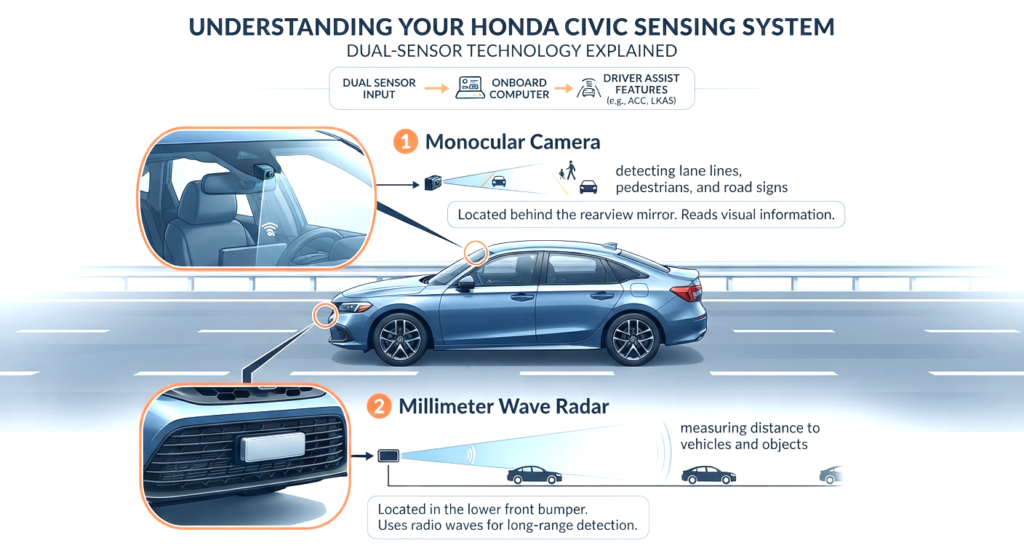
Your modern Honda Civic relies on a smart technology suite called Honda Sensing.
This system uses a dual sensor setup to watch the road ahead of you.
A millimeter wave radar unit sits behind the lower front bumper grid to measure distance from other cars.
A monocular camera is fixed to the upper interior windshield near your rearview mirror to read lane lines and road signs.
When dirt or bad weather blocks either of these components the computer disables safety features to prevent false readings.
Exact Location of the Honda Civic Radar Sensor
Many drivers waste time wiping down the wrong parts of their car.
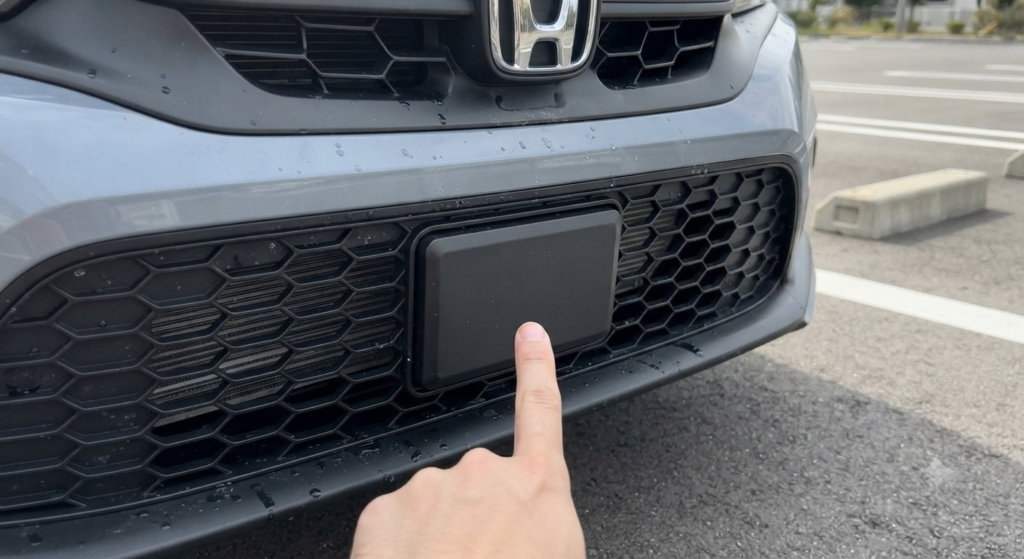
The radar sensor is not hidden behind the big chrome H emblem on your front grill.
On 10th and 11th generation Honda Civics the radar unit sits lower down on the plastic bumper grid usually on the driver side or dead center.
You need to look closely at the lower bumper intake area to spot the flat plastic rectangular housing.
Knowing this exact location saves you time during winter storms or heavy bug seasons.
Step-by-Step Guide to Cleaning the Radar Sensor Safely
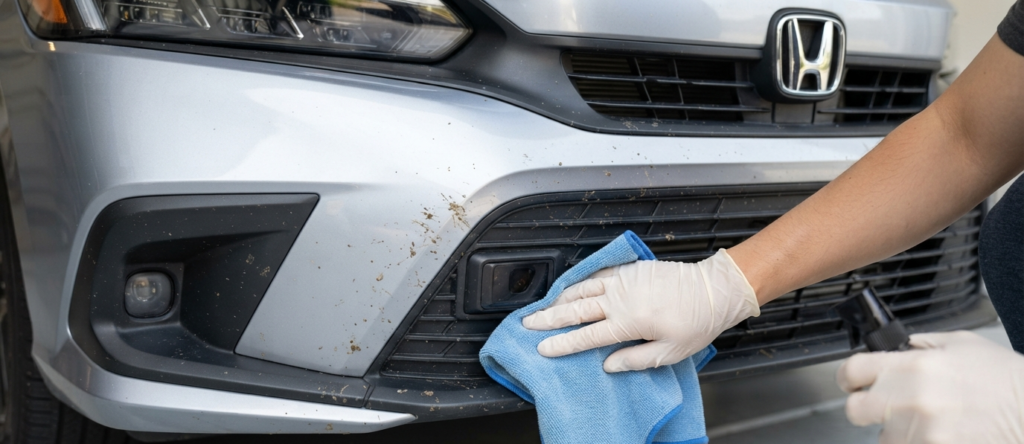
Cleaning your radar sensor requires a gentle touch to avoid scratching the plastic lens.
Follow these simple steps to clear away debris safely.
- Step 1: Grab a clean microfiber cloth and some warm soapy water or automotive glass cleaner.
- Step 2: Gently wipe away mud road salt bug splatters and ice from the lower bumper radar area.
- Step 3: Avoid using harsh chemical sprays or high pressure power washers directly on the sensor housing because excessive pressure can misalign the internal components.
- Step 4: Check the top section of your front windshield near the rearview mirror for hidden dirt tree sap or heavy condensation.
How to Reset the System After Cleaning
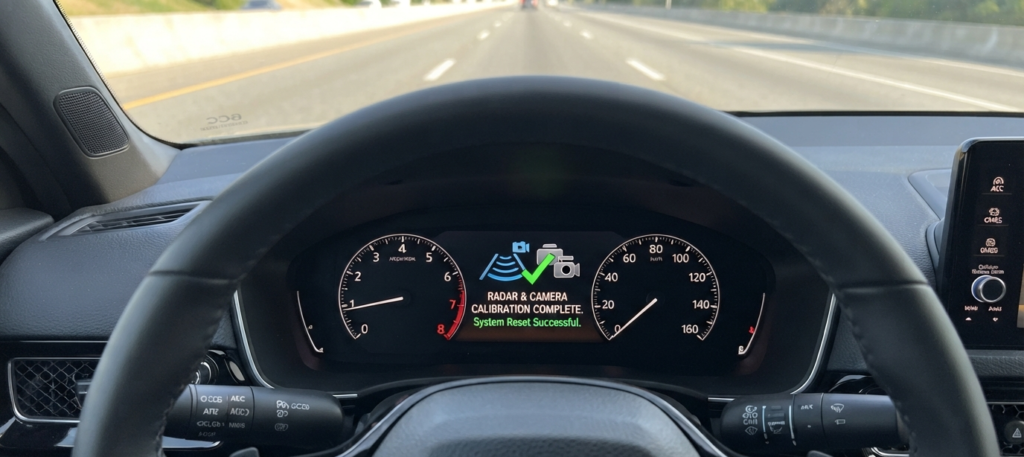
Sometimes cleaning the glass is not enough because the error code remains stuck in your car computer memory.
You need to force the electronic control unit to refresh its status.
Park your car safely and turn off the ignition completely.
Wait for about thirty seconds to let all the electrical modules power down.
Restart your engine and drive down an open road with clear lane markings for a mile or two.
This short drive allows the radar signal to recalibrate automatically and clear the warning from your dashboard.
Advanced Troubleshooting When the Warning Won’t Clear
If you cleaned the sensor and reset the ignition but the warning light stays on you might be dealing with a deeper mechanical problem.
A minor parking lot bump can easily shift the radar mounting bracket by just a few millimeters.
Even a slight angle change blinds the sensor and triggers permanent error messages.
Aftermarket windshield glass replacements can also cause ongoing failures if the glass lacks proper optical clarity near the camera bracket.
If you suspect physical damage or misalignment it is time to visit a certified Honda service center for professional radar calibration.