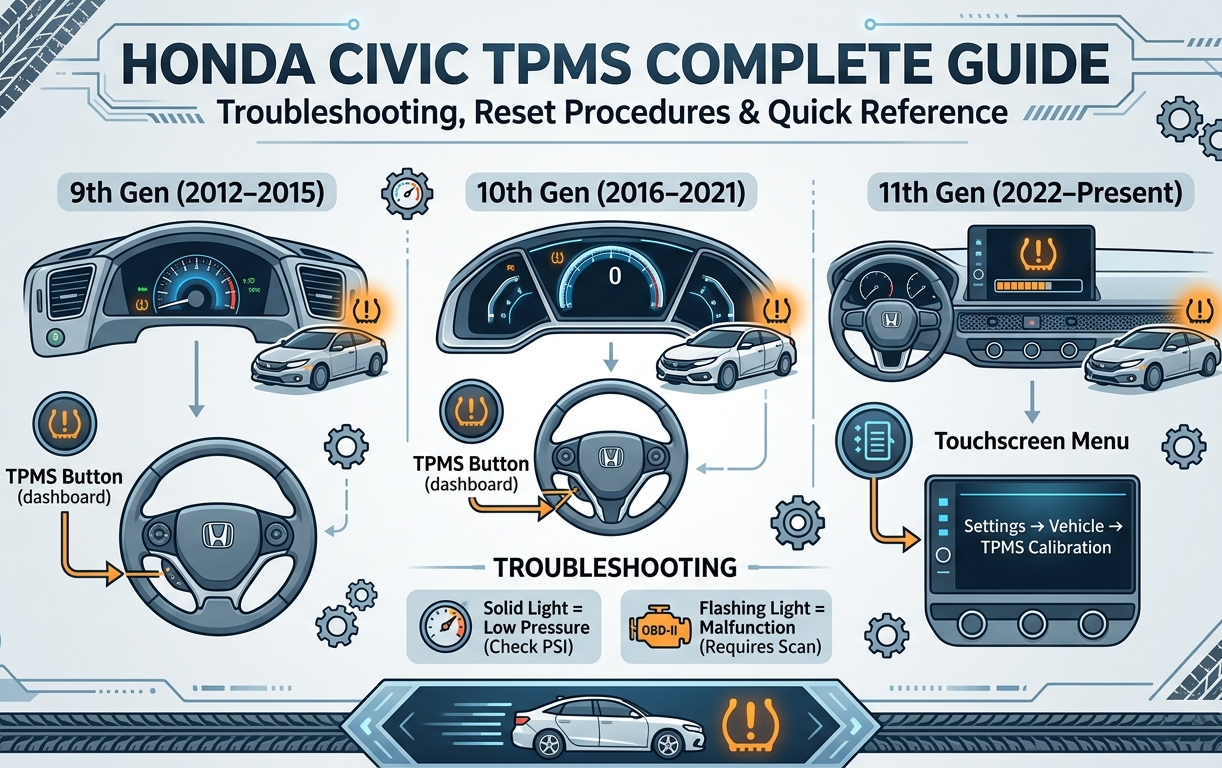
Troubleshooting, Reset Procedures & Quick Reference
Troubleshooting: Why Your Honda Civic TPMS Light Won’t Stay Off
Most guides tell you how to press the button, but they don’t tell you what to do when the light stubbornly reappears 10 miles later. Here is the expert-level troubleshooting based on real-world Civic owner experiences.
The “3-Time Reset” Rule
In many 10th and 11th Gen Civics, the software requires three consecutive calibration sequences to fully clear the system’s memory, especially if you’ve recently replaced a tire or rotated them. If your light comes back on, don’t panic. Simply park the car and trigger the calibration process again. Doing this three times tells the ECU that the new tire rotation speed is the “new normal.”
Solid Light vs. Flashing Light
Knowing the difference can save you a trip to the dealership:
- Solid Light: This almost always means low air pressure (or a failed calibration). Check your PSI immediately.
- Flashing Light (for 60–90 seconds): This indicates a System Malfunction. It means your Civic’s ABS sensors or the TPMS control unit isn’t communicating. A simple reset won’t fix this; you likely need a professional OBD-II scan.
The Aftermarket Wheel Headache
Honda’s Indirect TPMS doesn’t use sensors inside the tires; it uses ABS wheel speed sensors. If you have installed aftermarket rims or different tire sizes on your Civic, the diameter change confuses the system. You must calibrate the system twice to ensure the ABS sensors learn the new “rolling radius” of your custom setup.
Quick Reference Table: Honda Civic TPMS by Generation
Use this table to quickly identify the reset procedure, PSI requirements, and system behavior for your specific Civic generation.
| Feature | 9th Gen(2012–2015) | 10th Gen(2016–2021) | 11th Gen(2022–Present) |
| TPMS Type | Indirect (ABS-based) | Indirect (ABS-based) | Indirect (ABS-based) |
| Reset Method | TPMS Button (dashboard) | TPMS Button (dashboard) | Touchscreen Menu |
| Reset Button Location | Under steering wheel (left side) | Under steering wheel (left side) | Settings → Vehicle → TPMS Calibration |
| Recommended PSI (Front) | 32–35 PSI | 32–35 PSI | 32–35 PSI |
| Recommended PSI (Rear) | 32–35 PSI | 32–35 PSI | 32–35 PSI |
| Calibration Drive Required? | Yes (20 min @ 30–65 mph) | Yes (20 min @ 30–65 mph) | Yes (20 min @ 30–65 mph) |
| Spare Tire Sensor? | No | No | No |
| OBD-II Needed for Reset? | No (usually) | No (usually) | No (usually) |
| Flashing Light = Malfunction? | Yes | Yes | Yes |
| Aftermarket Wheel Recalibration? | Required | Required | Required |
Quick Notes for Each Generation
9th Gen (2012–2015): The reset button can be easy to miss. It’s a small, recessed button below and to the left of the steering wheel. Press and hold for 3 seconds with the ignition in the ON position (engine off).
10th Gen (2016–2021): The most commonly searched generation for TPMS issues. The “3-Time Reset Rule” applies here most often, especially after tire rotations or replacements.
11th Gen (2022–Present): No physical button. Everything goes through the touchscreen. Go to Settings → Vehicle → TPMS Calibration → Calibrate. If you can’t find it, check that your Honda is in Park first — the menu is locked while driving.