
Changing your own cabin air filter is one of the easiest ways to save money and keep your car smelling fresh. Yet many Honda Civic owners freeze at the exact same moment. They hold the new filter in their hands and stare at the arrows .One brand says UP. Another brand says AIR FLOW with a downward arrow. Your old factory filter might have looked totally different. Installing this filter the wrong way can trap leaves in your blower motor or block your AC performance. This complete guide breaks down everything you need to know about Honda Civic cabin air filter arrow directions so you can install it right the first time.
Quick Answer:
The Golden Rule for Your Civic Filter
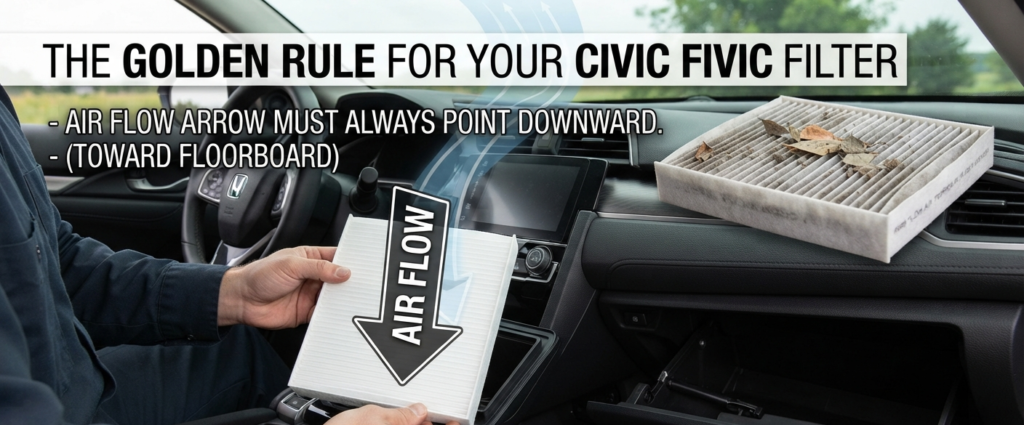
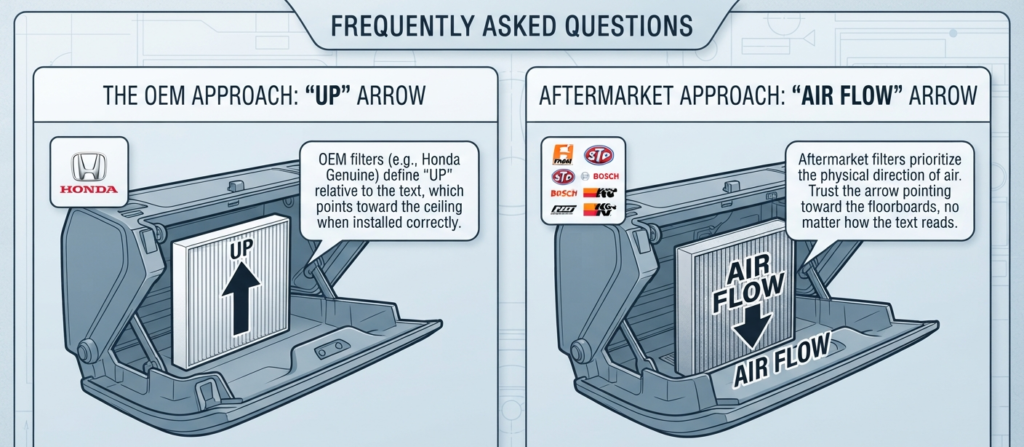
Let us start with the most important rule. In almost every modern Honda Civic, the air flows from the top down. Air enters from the cowl area near your windshield, travels downward through the filter, and enters the blower fan below. Because of this layout, the airflow arrow on your replacement filter must always point downward. If your filter features an UP arrow instead of an airflow arrow, the word UP should point toward the ceiling of the car. It should never point toward the floorboards. Keeping this simple rule in mind solves most installation mistakes instantly.
Understanding the Confusion: UP Arrows vs. Air Flow Arrows
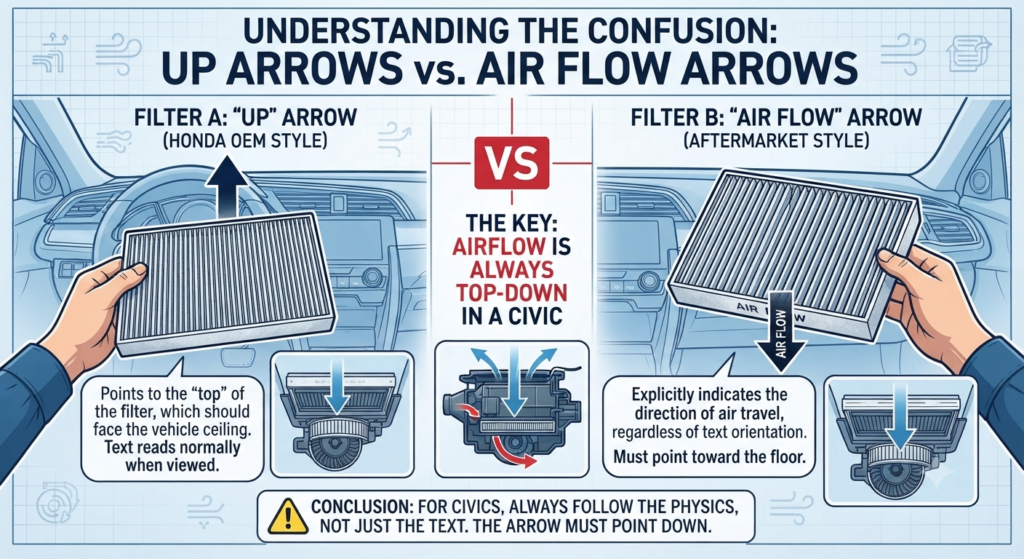
Aftermarket parts stores sell dozens of different filter brands.This variety creates a lot of mixed signals for drivers.Original Equipment Manufacturer Honda filters usually feature the word UP.They expect you to align the text so it reads normally when looking straight into the housing slot.Aftermarket brands like STP, Fram, or Bosch often use an explicit arrow labeled AIR FLOW.When you see an airflow arrow, you must trust the physics of the HVAC system rather than the text orientation.Air moves down through the glove box housing.Therefore, the arrow must point down toward the bottom of the car regardless of how the letters read to your eyes.
Step-by-Step: How to Replace a Honda Civic Cabin Air Filter Correctly
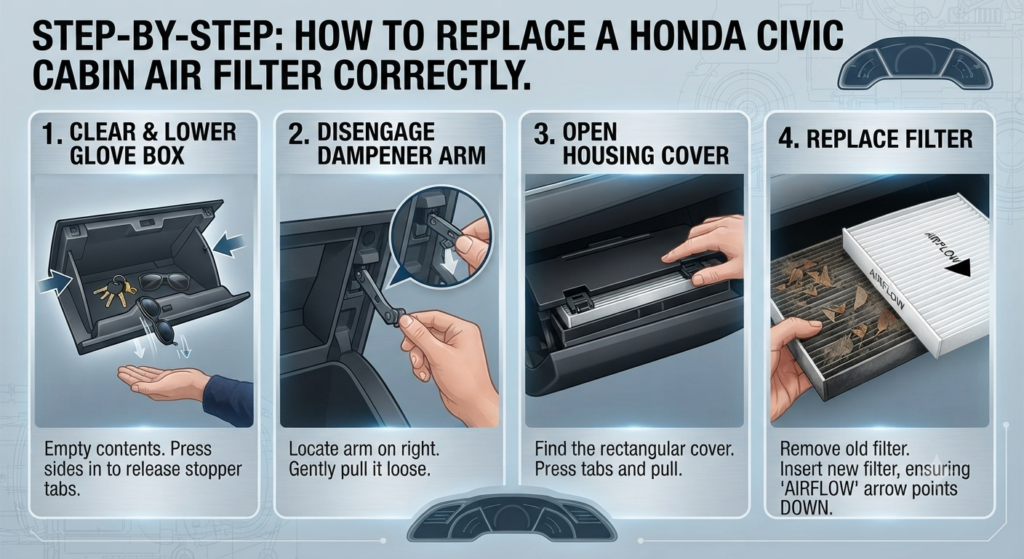
Replacing this filter takes less than five minutes if you follow the right steps.You do not need any mechanical tools to get the job done.
Step 1: Clear and Lower the Glove Box
Open your glove box and take out all of your heavy items.Emptying the glove box prevents your registration and sunglasses from spilling onto the floor.Push inward on both outer sides of the glove box walls.This action releases the stopper tabs from the dashboard frame.Allow the glove box to swing all the way down toward the floor mat.
Step 2: Disengage the Dampener Arm
Look on the right side of the glove box door.You will see a small plastic arm attached to a tiny piston.Gently pull this dampener arm outward to release it from its peg.Let the arm hang loosely out of your way.
Step 3: Open the Filter Housing Cover
Look behind the lowered glove box area for a long plastic horizontal door.Press the small release tabs located on the left and right edges of this cover.Pull the cover straight toward you to expose the old filter tray.
Step 4: Inspect and Remove the Old Filter
Slide the old filter straight out of the housing slot.Look closely at the top surface of the dirty filter.You will usually see trapped leaves, dust, and pine needles sitting directly on top of the pleats.This debris proves that incoming air hits the top side first.Take your new filter and match its arrow direction to point downward before sliding it into the empty slot.
Pro Test: How to Confirm Your Civic Airflow Direction in Seconds
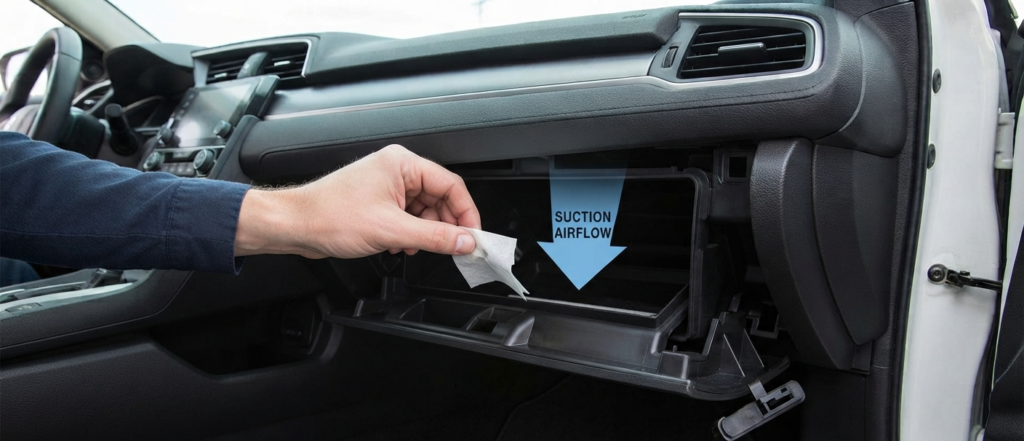
If you ever feel unsure while working in your driveway, you can run a quick physical test.Leave the old filter out for a brief moment.Turn your ignition key to the ON position.Turn your HVAC fan speed up to high.Hold a very light tissue or a small piece of loose paper near the open slot.Watch which way the tissue pulls.The suction will pull the tissue inward and downward.This simple visual proof confirms that your airflow moves from top to bottom.Slide your new filter in so its arrow points in that exact same downward direction.
What Happens If You Install Your Honda Civic Cabin Air Filter Backwards?
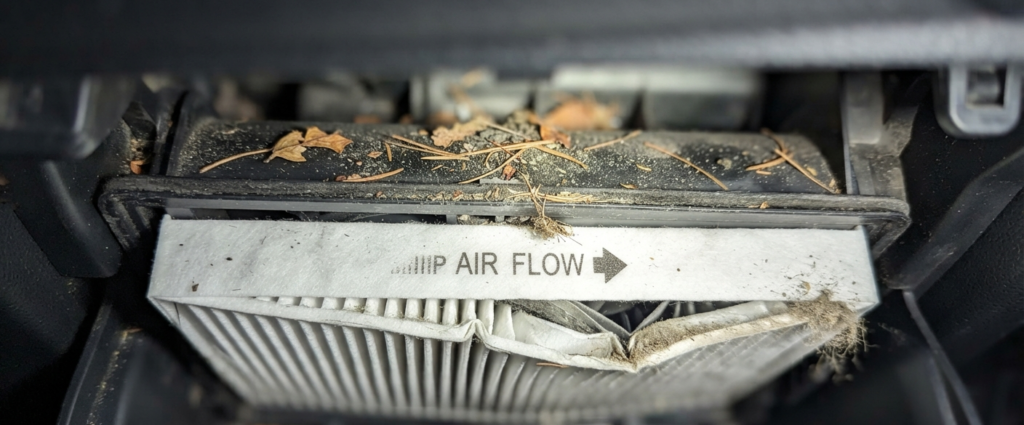
Putting a cabin air filter in upside down will not destroy your engine.However, it creates several annoying problems you will notice right away.First, any leaves or heavy dust trapped on the filter surface can shed back into the blower wheel housing.This loose debris often causes a strange ticking or whistling noise every time you turn on your AC.Second, some filters feature reinforced wire mesh or rigid backing on only one side.If installed backwards, the high pressure of the blower fan can bend or collapse the pleats.A collapsed filter lets unfiltered dust bypass the material and coat your evaporator core.
Frequently Asked Questions
Does the arrow direction change depending on the Civic year model?
No.Whether you drive an 8th generation 2008 model or a brand new 11th generation model, the HVAC blower motor sits below the glove box tray.Airflow always moves from top to bottom across every single modern Civic generation.
Why do some replacement filters have confusing text?
Different manufacturing plants use different template stamps for their packaging.Some companies design their text to match factory housing standards while other companies focus purely on physical airflow paths.Always look for the word FLOW alongside an arrow rather than trusting plain text alone.
Can I clean and reuse my old cabin air filter?
Paper and cotton composite filters cannot be truly washed clean of microscopic mold spores and deep dust.Auto experts recommend replacing this filter every 12,000 to 15,000 miles to keep your cabin air clean and healthy.