
What Does Honda Maintenance Minder Code 7 Mean?
Your Honda Civic features an onboard computer called the Maintenance Minder system. This system tracks engine operating conditions, driving habits, and time to calculate when your car needs specific services.
When you see a small number seven pop up next to the main oil life indicator on your dashboard, it is a specific factory alert. Maintenance Minder Code 7 means it is time to replace your vehicle brake fluid.
The Official Honda Brake Fluid Change Interval
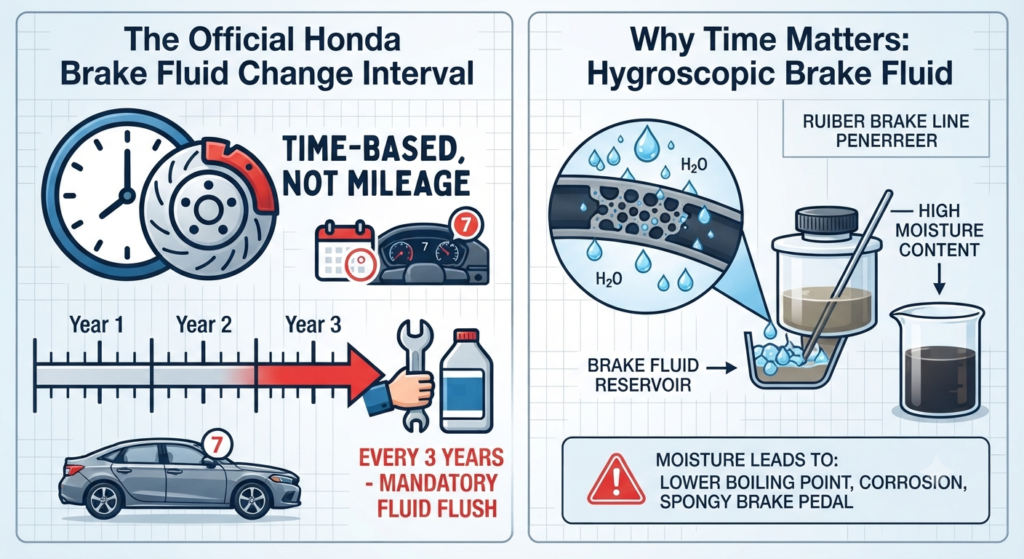
Honda specifies that brake fluid must be replaced every three years, regardless of how many miles you have driven. Many owners on enthusiast forums like CivicX and Honda Tech get confused because engine oil changes rely on mileage, but brake fluid maintenance is entirely time based.
Brake fluid is hygroscopic by nature. This scientific term means the fluid naturally absorbs moisture from the air around it over time.
Even if your Honda Civic sits in a garage or gets driven very little, moisture still enters the system through microscopic pores in the rubber brake hoses and past the reservoir cap. Over three years, enough water accumulates to degrade the fluid performance significantly.
Why Ignoring Code 7 Is Dangerous
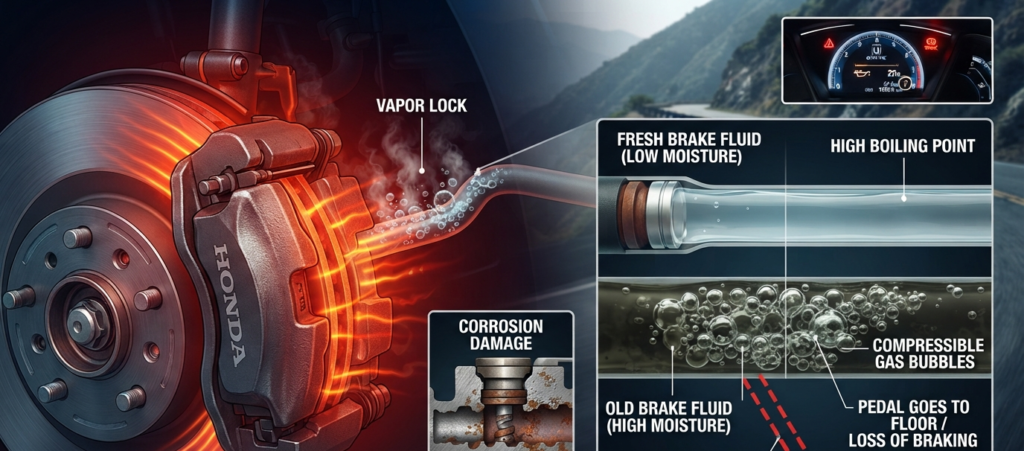
Water mixed into your brake fluid lowers its overall boiling point. When you press down hard on your brakes during an emergency stop or while driving down a steep mountain road, friction creates intense heat.
If your brake fluid contains too much moisture, that heat causes the water to boil and turn into gas bubbles. Gas is compressible, unlike liquid fluid.
This creates a terrifying situation known as vapor lock. When vapor lock happens, pushing your brake pedal goes straight to the floor, resulting in a spongy pedal feel or a complete loss of braking power.
Old fluid also contains microscopic contaminants and loses its anti corrosion properties. This allows rust to form inside expensive brake components like your ABS modulator, master cylinder, and caliper pistons.
Honda Civic Brake Fluid Specifications
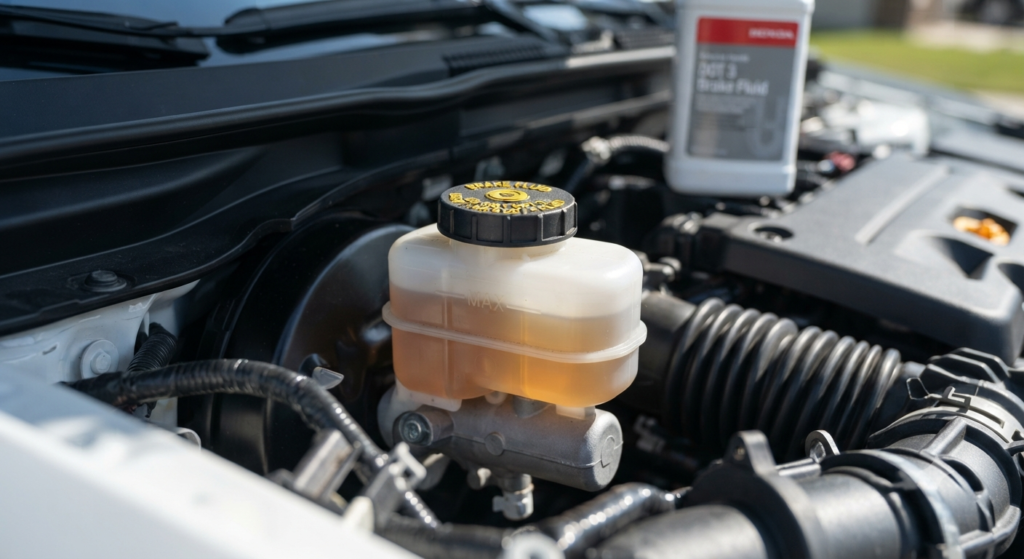
Before you buy supplies or take your car in for service, you need to know what fluid your specific Honda Civic requires.
Most modern Honda Civics require either DOT 3 or DOT 4 brake fluid. Always pop open your hood and check the label printed directly on the brake fluid reservoir cap to confirm the exact specification.
It is best to use genuine Honda Heavy Duty Brake Fluid or a high quality equivalent from a trusted brand. For a complete system flush, you will typically need less than one full quart of fluid.
Professional Service vs. DIY: Cost Breakdown
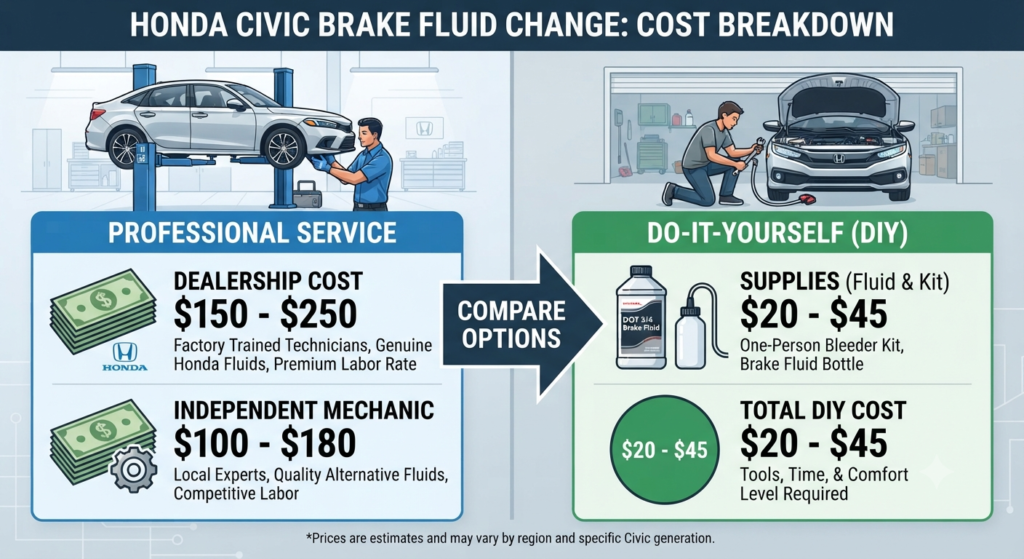
Deciding whether to service your car at home or take it to a professional depends on your budget, tools, and comfort level.
- Dealership Cost: Taking your Civic to an official Honda dealership usually costs between $150 and $250. Dealerships use factory trained technicians and genuine fluids, but you pay a premium for labor rates.
- Independent Mechanic Cost: Local independent repair shops generally charge between $100 and $180 for a complete brake fluid exchange.
- DIY Cost: If you prefer doing the work yourself, buying a bottle of brake fluid and a simple one person bleeding kit will only cost you between $20 and $45.
Step-by-Step DIY Honda Civic Brake Fluid Flush
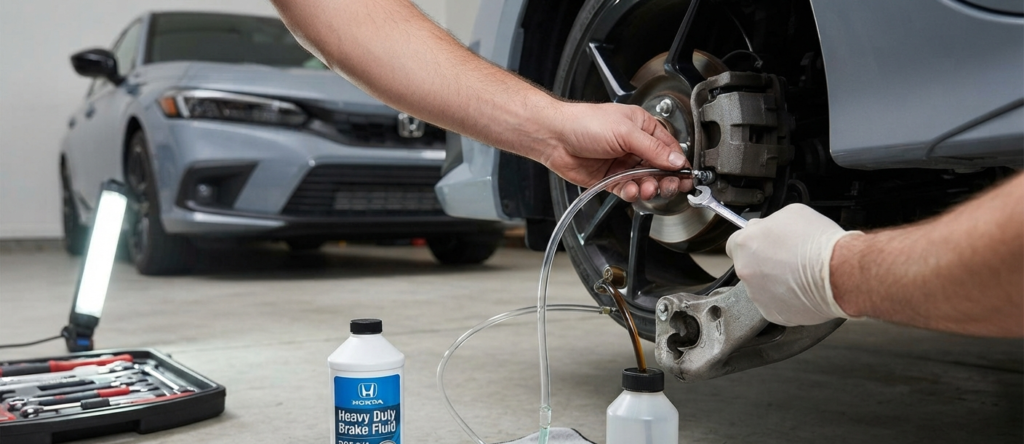
If you decide to tackle this project in your garage, follow these core steps carefully to keep your brakes working safely.
First, clean the area around the master cylinder reservoir cap thoroughly to prevent dirt from falling inside. Remove the old fluid from the reservoir using a clean turkey baster or fluid extractor, but leave a small amount at the bottom so air does not enter the master cylinder.
Fill the reservoir to the max line with fresh brake fluid from a freshly opened bottle.
Next, you will need to bleed the brake lines at each wheel to push out the old dark fluid and replace it with fresh clear fluid. The standard bleeding sequence for most modern vehicles starts with the wheel furthest from the master cylinder and moves closer.
Always check your specific service manual to confirm the correct wheel order for your Civic generation. Have a helper pump the brake pedal while you open and close the bleeder valves, or use a vacuum bleeder tool.
Keep a close eye on the master cylinder fluid level under the hood throughout the process. Letting the reservoir run completely dry will suck air into the brake lines, forcing you to restart the bleeding process from scratch.
How to Reset Code 7 on Your Honda Civic Dashboard
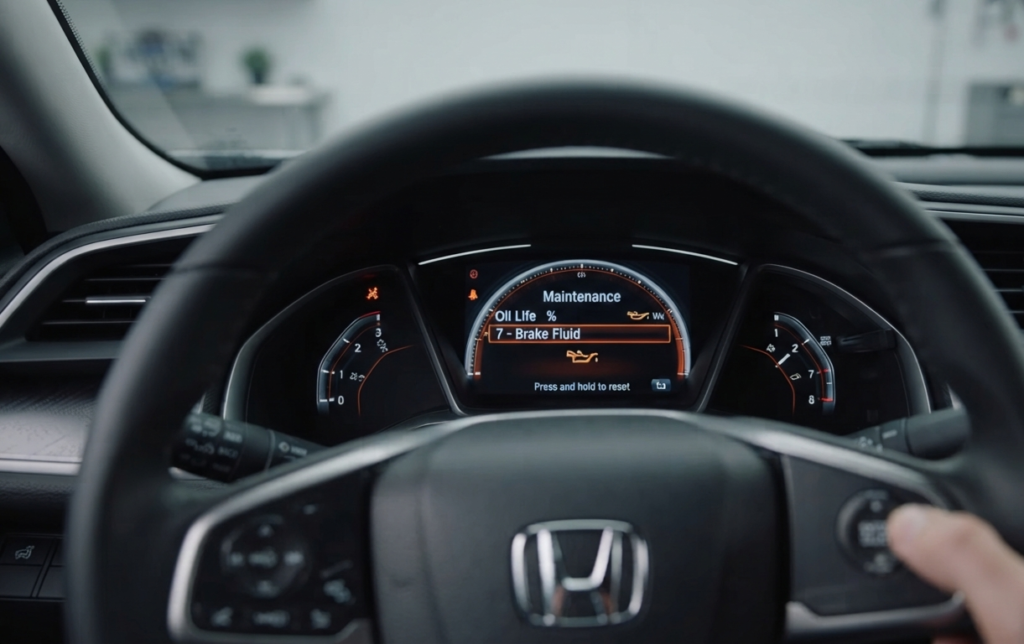
Once your brake fluid service is completely finished, you need to clear the warning code from your dashboard.
Turn your ignition switch to the ON position without starting the engine. Use the controls on your steering wheel or your touchscreen infotainment system to navigate to the maintenance minder screen.
Press and hold the enter or select button until the oil life display begins to blink. Scroll down until you highlight the specific sub code item seven, then press and hold the button again until the service life resets back to one hundred percent.
Frequently Asked Questions
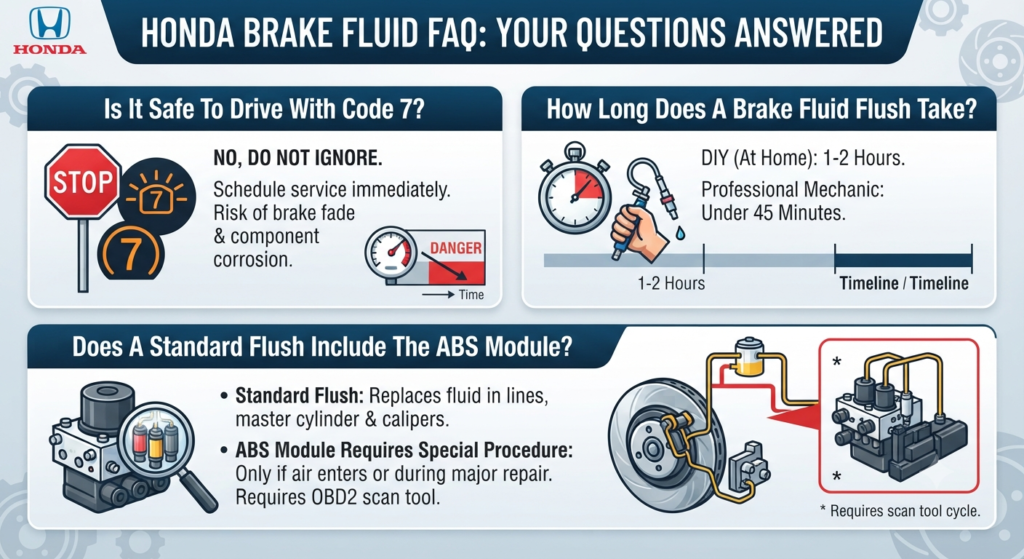
Can I keep driving with Code 7 on my dash?
You can drive for a short time, but you should schedule the service as soon as possible. Delaying the fluid change risks brake fade and component corrosion.
How long does a complete brake fluid flush take?
If you are doing the job yourself at home, expect the process to take about one to two hours. A professional mechanic with a pressure bleeder can usually finish it in under forty five minutes.
Does a standard brake fluid change flush the ABS module?
A standard gravity or pump bleed replaces the fluid in the master cylinder, lines, and calipers. If air entered the ABS modulator valves during a major repair, you may need an advanced OBD2 scan tool to cycle the internal solenoids during the bleed process.