
Mastering the start of a race changes everything. Every enthusiast wants that perfect green light launch. When you line up at the strip or prepare for a spirited run on an open back road, the first two seconds dictate the entire outcome of your acceleration.
When it comes to the Honda Civic Si, drivers constantly search for the exact numbers to drop their times. But getting it right takes far more than just guessing a random RPM target.
Modern turbocharged front-wheel-drive platforms require precise calibration, disciplined clutch control, and a deep understanding of tire physics. This comprehensive guide breaks down everything you need to know about setting up, configuring, and executing the ideal launch control RPM on your Honda Civic Si.
The Reality of Factory Settings: Does the Civic Si Have Launch Control?
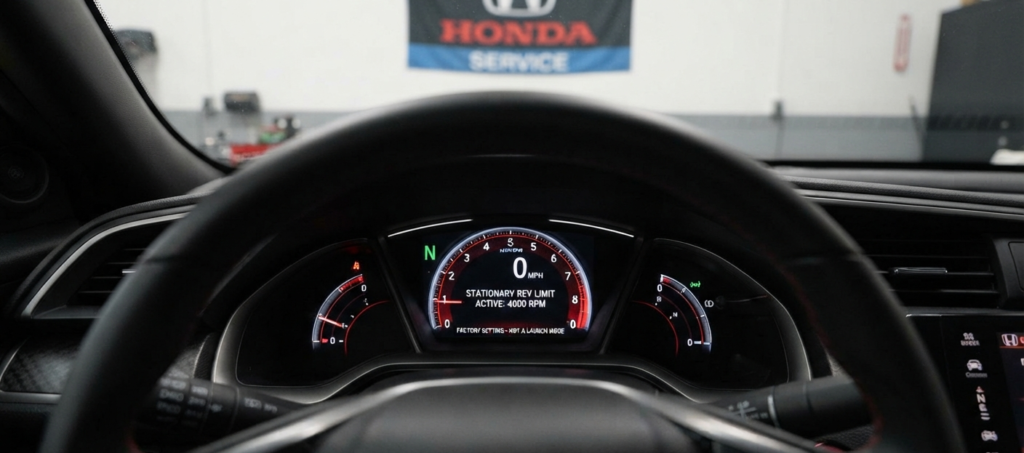
The short answer is no. Out of the factory, a stock Honda Civic Si does not feature a programmable launch control system like its bigger sibling, the Civic Type R.
Many new owners get confused by the factory stationary rev limiter. When you park your car, put it in neutral, and floor the throttle, the computer holds the engine speed right around 4,000 RPM. This is built into the stock ECU purely for factory emissions control and stationary engine protection.
That factory limit is not designed for racing. Trying to dump the clutch from that static 4,000 RPM factory limit usually results in severe wheel spin, massive bogging, or a very embarrassed driver. The factory software cuts fuel and spark abruptly, which creates an inconsistent drop in boost pressure when you try to release the pedal.
To achieve true, smooth, and adjustable launch control, you must look toward the aftermarket tuning ecosystem. Platforms like KTuner and Hondata FlashPro give you full access to rewrite these parameters safely.
The Science of Front-Wheel-Drive Launch Dynamics
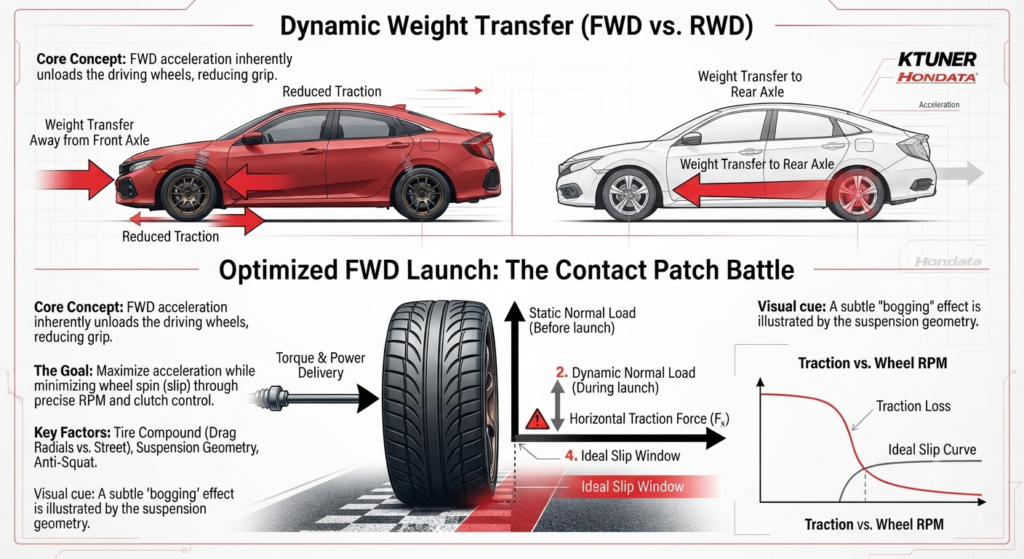
Understanding how power travels through a front-wheel-drive layout helps explain why finding the right RPM setting matters so much.
When you launch a rear-wheel-drive car, weight transfers backward, planting the rear tires firmly into the pavement and increasing traction. Front-wheel-drive cars experience the exact opposite effect. Under heavy acceleration, weight transfers to the rear, unloading the front steering and drive tires.
This weight transfer causes the front tires to lose their crucial contact patch with the road surface. If you feed too much RPM and boost into the drivetrain all at once, the tires break loose instantly.
Pro Tip: Once your tires spin, your turbocharger drops out of its optimal spool range, and your acceleration flatlines. The goal of a proper launch control RPM setting is to find the exact threshold where your tires grip the asphalt just as maximum boost builds in first gear.
Determining the Best Launch Control RPM Settings
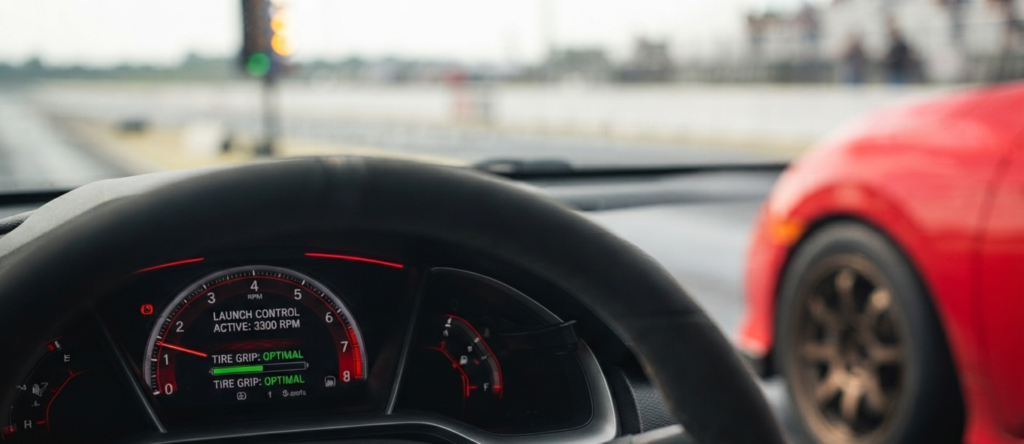
Finding the sweet spot for your specific Civic Si depends heavily on your modifications, tire compound, and track conditions.
- Street Tires / Light Bolt-Ons:
For a typical turbocharged Civic Si making around 200 to 230 horsepower, the ideal sweet spot sits between 3,000 RPM and 3,500 RPM. - Drag Radials / Prepared Track:
If you run sticky drag radials or hit a heavily prepped track surface with VHT adhesive, you can raise that target slightly to 3,800 RPM or 4,200 RPM. Higher RPM settings allow the turbocharger to build more initial boost pressure before you release the clutch, giving you a harder push off the line.
The Safety Limit
Never set your launch RPM past 4,500 RPM on standard street tires. Front-wheel-drive cars simply cannot hook up that much power instantly on street rubber. Pushing the setting too high only results in violent wheel hop, broken axle shafts, and fried factory clutches.
Step-by-Step: How to Configure Launch Control in KTuner and Honda
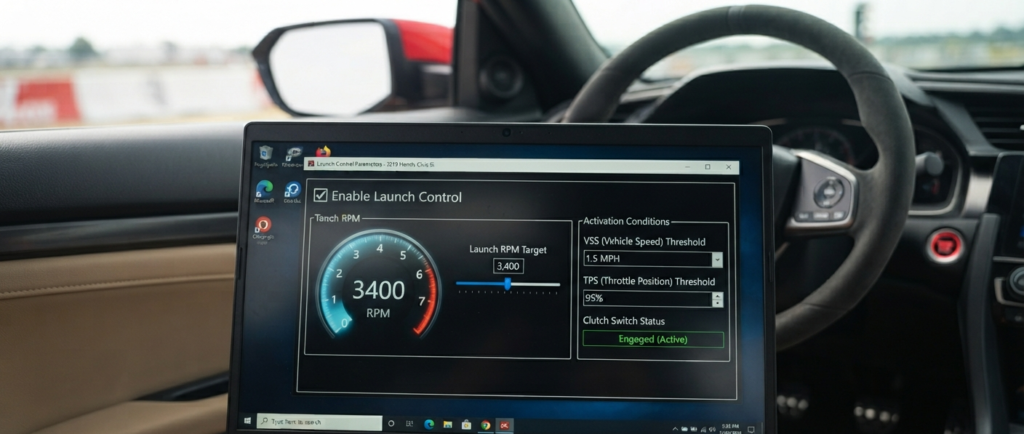
Setting up your launch control parameters inside your tuning software requires a methodical approach. Whether you drive an 8th, 9th, 10th, or the latest 11th generation Civic Si, the software logic remains largely similar.
- Backup Your Tune:
Connect your laptop to your hardware flash device and open your active, safe tune file. Always save a backup copy of your working tune before making any adjustments. - Locate Launch Control:
Navigate to the Rev Limiter or Throttle settings tab inside the software interface. Locate the primary Launch Control option and check the box to enable it. - Set the Target RPM:
Enter your desired target RPM based on the guidelines discussed earlier. Start conservative at 3,200 RPM if you are unsure how your tires will react. - Configure VSS Threshold:
Set the Vehicle Speed Sensor (VSS) activation threshold. This tells the ECU exactly when to disengage the launch control logic and return full throttle control to your foot the moment your car moves forward (usually set between 1 to 3 mph). - Adjust the Clutch Switch:
Configure your clutch switch parameters carefully. The ECU needs to know precisely when your foot depresses the clutch pedal so it can activate the secondary lower rev limit safely. - Flash and Test:
Flash the updated calibration to your vehicle ECU. Find a safe, closed environment or a local drag strip to test the new settings before using them in competitive or emergency situations.
Managing Traction, Wheel Hop, and Clutch Life
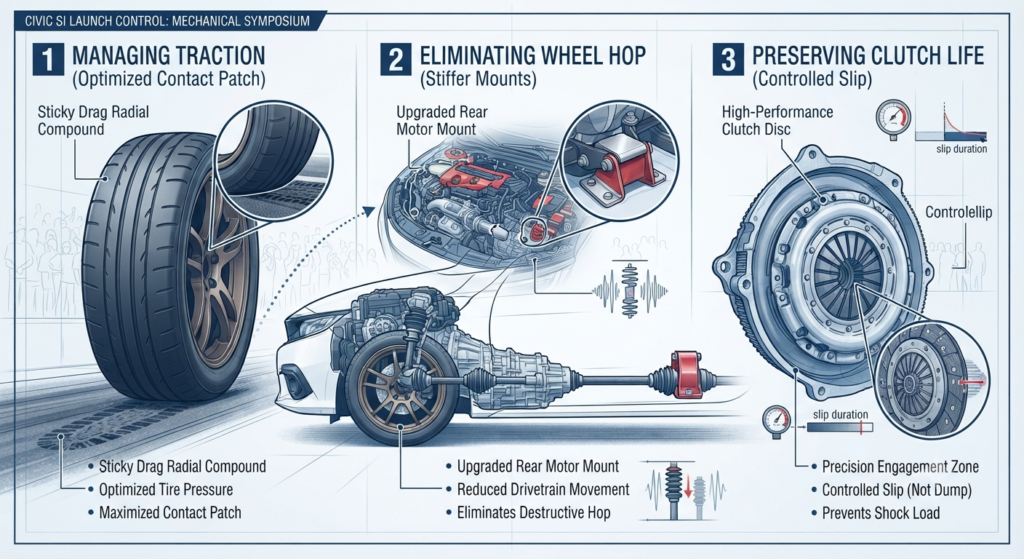
Power means nothing if you cannot transfer it efficiently to the pavement. Front-wheel-drive platforms struggle heavily with shock load during hard launches.
As the front wheels spin and catch repeatedly, they create a destructive harmonic resonance known as wheel hop. This bouncing motion sends shockwaves through your CV axles, transmission mounts, and gear teeth, often leading to catastrophic mechanical failure.
- Motor Mounts:
Upgrading your factory rear motor mount to a stiffer aftermarket unit drastically reduces engine movement and eliminates wheel hop. - Tire Pressure:
Lowering your front tire pressure slightly at the track increases your tire footprint and improves mechanical grip. - Clutch Slipping:
Instead of dumping the clutch pedal completely like an on-off switch, learn to slip the clutch for a vital split second. This controlled slip acts as a shock absorber, smoothing out the sudden transition of torque and protecting your transmission internals.
Protecting your factory transmission and clutch master cylinder ensures you can drive home safely after a fun day of testing your limits.
Advanced Tuning Considerations for Upgraded Turbochargers
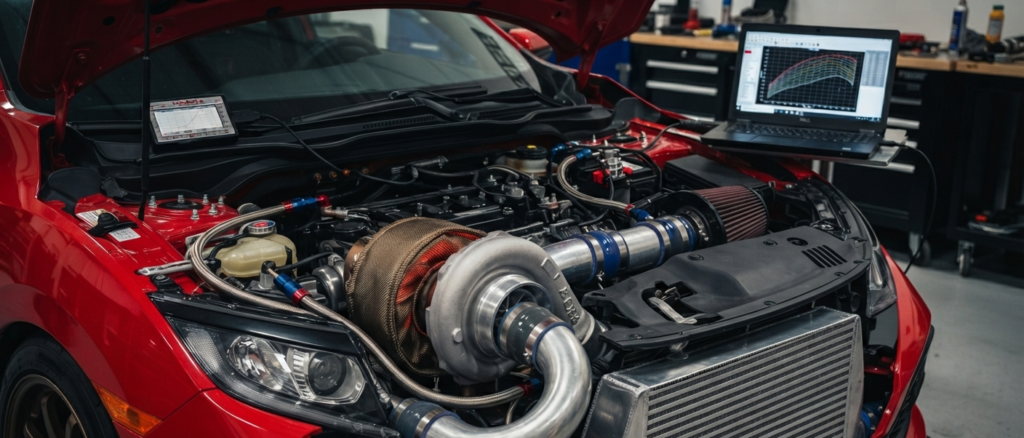
As your Civic Si journey progresses, you will likely install a larger aftermarket turbocharger, upgraded fuel injectors, and a front-mount intercooler. These modifications completely change your launch requirements.
Larger turbochargers suffer from increased turbo lag. At a lower launch setting like 3,000 RPM, a big turbo will not spool fast enough, causing your car to bog heavily off the line.
To combat this, tuners utilize higher launch RPM settings combined with ignition timing retardation or secondary fuel maps to build boost while stationary. This process builds positive manifold pressure while you hold the clutch down.
Warning:
Generating boost while stationary puts an immense amount of thermal stress on your exhaust manifold and turbine housing. Use stationary boost building sparingly to prevent overheating your engine bay components.
Frequently Asked Questions
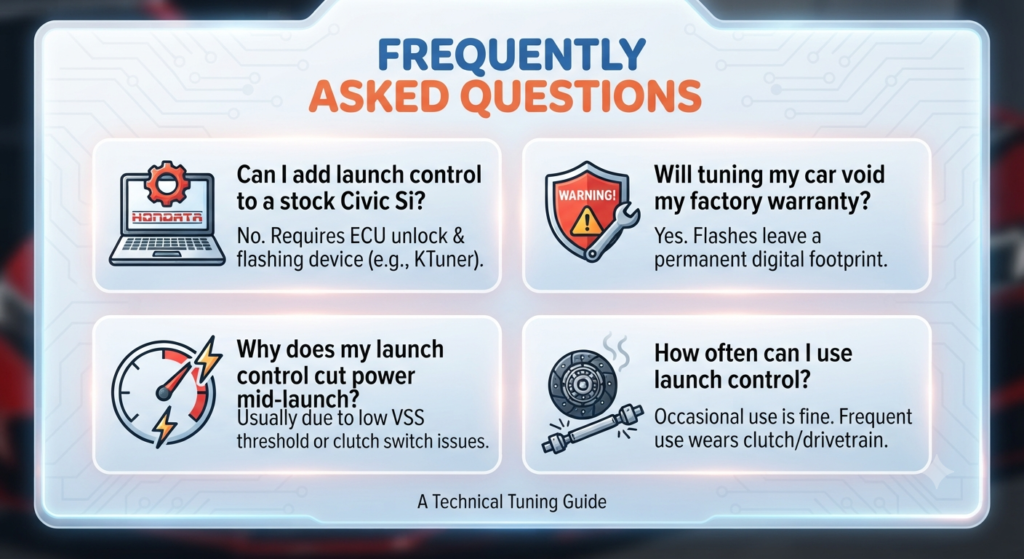
Can you add launch control to a completely stock Civic Si?
You cannot add programmable launch control without unlocking the engine control unit first. You need an external flashing device like KTuner or Hondata FlashPro to modify the stock software parameters and enable the feature.
Will tuning my car void my factory warranty?
Flashed ECUs leave a permanent digital footprint in the computer system. Dealership technicians can easily detect aftermarket calibrations if you bring the car in for warranty engine or transmission claims. Always weigh the risks before flashing a brand-new car.
Why does my launch control cut power mid-launch?
This frustrating issue usually happens because your vehicle speed threshold is set too low, or your clutch pedal switch is failing to register properly in the software. Double-check your sensor wiring and software parameters to ensure a clean transition.
How often can I use launch control without breaking parts?
Using launch control occasionally at the track or during weekend events is generally fine if your supporting modifications are solid. However, launching your car at every single traffic light will quickly wear out your clutch disc, glaze your flywheel, and strain your drivetrain components.